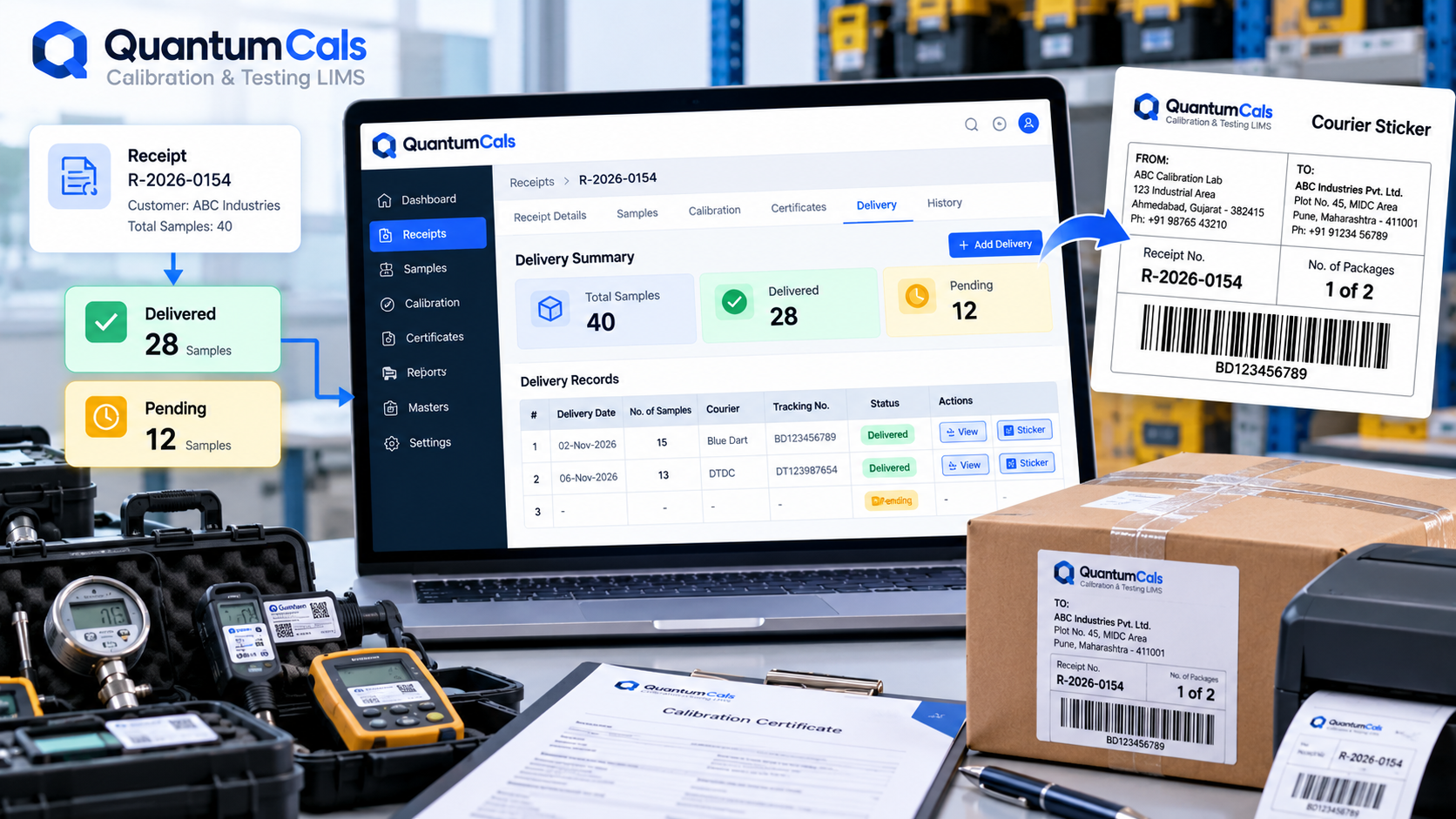
A receipt with forty instruments rarely gets delivered back to the customer all at once. Some certificates finish earlier than others, a customer asks for the urgent instruments first, or a courier run only has room for part of a batch. Without a system tracking what has actually gone out, it becomes easy to lose track of which samples from a large receipt are still sitting in the lab.
Delivery Records Per Receipt
QuantumCals keeps a delivery record for each dispatch against a receipt — how many samples went out in that delivery and when. Looking at a receipt's Delivery tab shows every delivery made so far, not just the most recent one.
Delivered vs Pending, at a Glance
Rather than manually counting what has shipped, the delivery status for a receipt shows the total samples on the receipt, how many have been delivered across all dispatches, and how many are still pending. For a large multi-instrument receipt handled over several partial deliveries, this single number — samples pending — is what prevents an instrument from being quietly forgotten in a corner of the lab.
Courier Stickers Generated from the Receipt
When a delivery goes out, the lab can generate a courier sticker directly from the receipt as a downloadable PDF, with the receipt and customer details already filled in. This removes a manual step of typing an address label separately from the lab's own records, and keeps the dispatch paperwork consistent with what is actually in the system.
Why This Matters for Customer Trust
- No instrument left behind: a clear pending count means nothing from a receipt is forgotten after the "easy" certificates are delivered.
- Faster answers to "where is my instrument?": the delivery history answers the question in seconds instead of a search through courier records.
- Consistent dispatch paperwork: courier stickers generated from the same data as the certificate reduce address and reference-number mismatches.
Practical Tips
- Record a delivery as soon as it leaves the lab, not at the end of the day from memory.
- Check the pending count before closing out a receipt as complete.
- Use partial deliveries deliberately for urgent instruments rather than holding the whole batch for one dispatch.
Ready to see it in your lab? Book a free 30-minute demo with the QuantumCals team and walk through the workflow with your own receipts and samples.