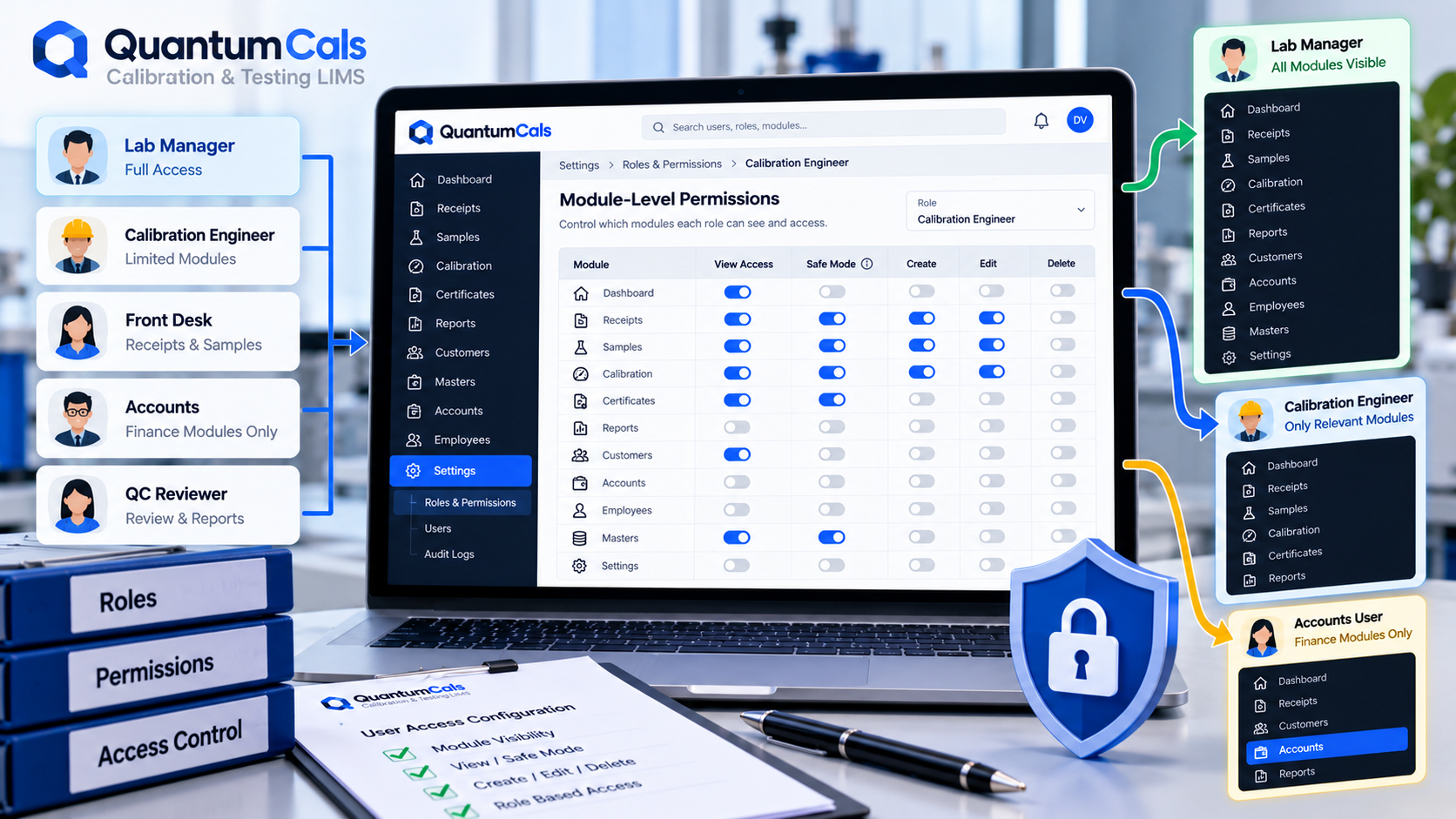
Role-based access usually gets described as "technicians enter data, managers approve it." That is true, but it only covers what happens inside a screen a person can already open. The question labs often miss is simpler and more basic: should this person see the screen at all?
A front-desk coordinator who handles receipts has no reason to see the Accounts module. An engineer who only calibrates pressure gauges does not need the Employee management screen. If every logged-in user sees every module in the sidebar, the lab is relying on good behaviour rather than an actual control — and that is exactly what an assessor or a security review will point out.
Module-Level Permissions, Not Just Field-Level Rules
In QuantumCals, access is controlled at two levels. The first is the module itself — Receipt, Work Order, Customer, Employee, Accounts and so on — each with its own visibility setting per role. If a role does not have permission for a module, that entire section simply does not appear in the sidebar. There is nothing to accidentally click into.
Normal View vs Safe Mode
Within a module, QuantumCals distinguishes between a standard view permission and a stricter safe_mode permission. Safe mode is used for roles that need a more limited, lower-risk view of a module — useful for junior staff, trainees, or anyone who should be able to see a module's data without the full set of actions a senior role gets. This gives lab managers a middle ground between "full access" and "no access" without creating a brand-new role for every small variation.
Why This Matters Beyond Convenience
- Reduces mistakes: staff cannot modify a module they never needed to open in the first place.
- Supports audits: when an assessor asks who can access financial records or employee data, the answer is a configuration, not a guess.
- Scales with growth: as the team grows and roles split — a dedicated billing person, a dedicated QA reviewer — permissions can be tightened per module without rebuilding the whole access model.
Setting This Up Well
- Start from the narrowest permission set a role actually needs, and add modules as the need is proven, not the other way round.
- Use safe mode for any role still being trained on a module before giving them full access.
- Review permissions when someone changes role internally — old access rarely gets removed unless someone is asked to check.
Ready to see it in your lab? Book a free 30-minute demo with the QuantumCals team and walk through the workflow with your own receipts and samples.