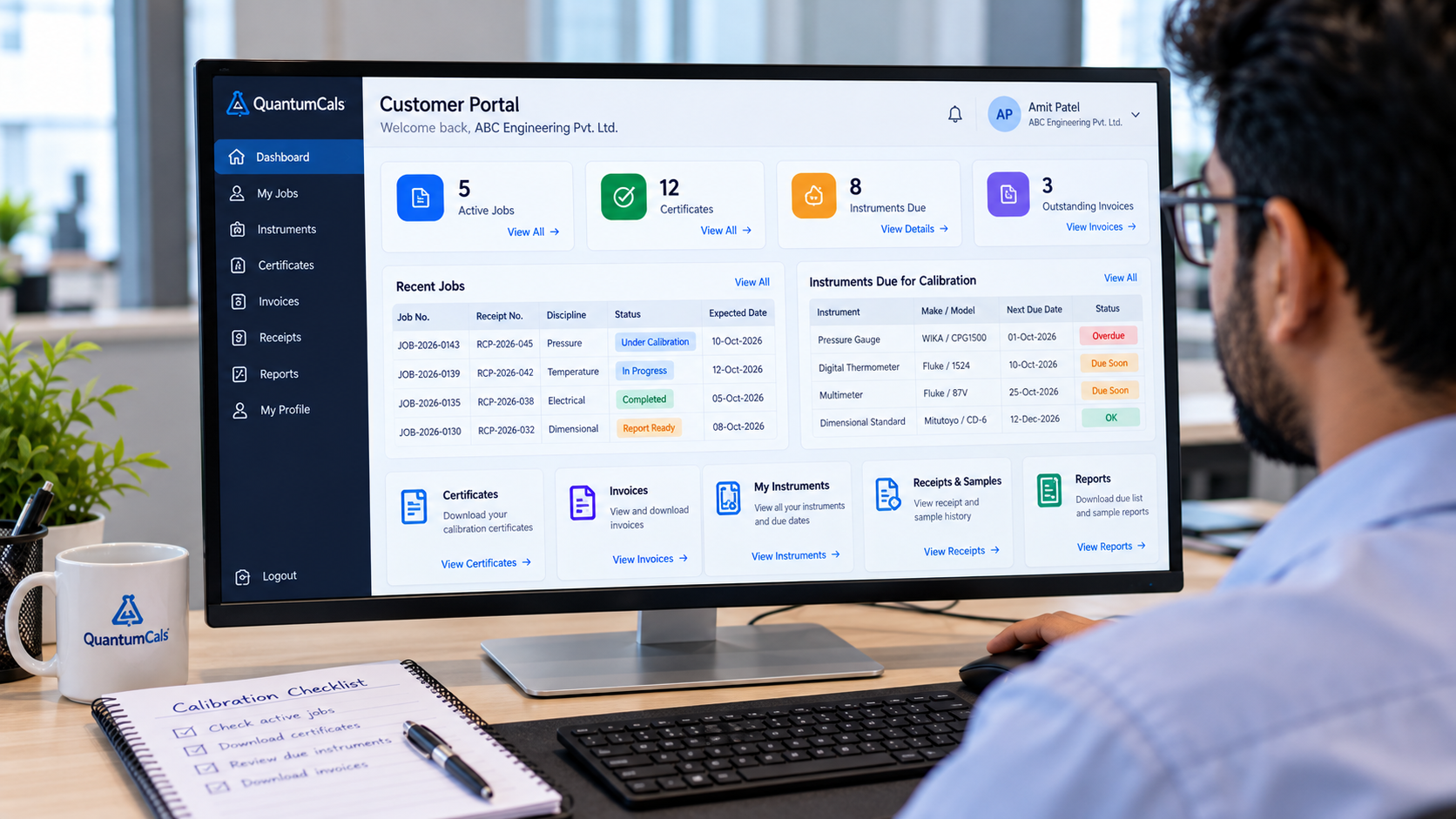
"We have a customer portal" is one of the most common claims in calibration software marketing, and one of the least specific. Some portals are little more than a login page that shows a single certificate download link. Others genuinely remove the need for a customer to call the lab at all for routine questions. The difference is entirely in what the portal actually lets a client do.
Here is a practical checklist, built from what a working calibration lab customer portal needs to cover.
1. A Dashboard That Answers "Where Do We Stand?"
The customer's quality manager should be able to log in and see an overview — active jobs, recent certificates, and anything due — without digging through menus first.
2. Job Tracking, Not Just a Final Status
Clients want to see which of their jobs are in progress and open the detail of a specific job to check its current stage, rather than emailing to ask "is it done yet?"
3. Certificate Downloads, On Demand
A customer's finance or quality team frequently needs a copy of a certificate issued months earlier, often at inconvenient times. Letting them pull it themselves removes a routine request from your front desk entirely.
4. A Live List of Their Instruments
Customers with dozens of gauges, meters and sensors calibrated by your lab benefit from seeing all of them in one place, rather than reconstructing the list from old paperwork.
5. Due-Instrument Alerts
This is the single highest-value feature for retention. A list of instruments coming due for recalibration, visible to the customer directly, turns the portal into a renewal tool instead of just a filing cabinet.
6. Invoices and Payment Status
Finance teams should not have to go through the technical contact to get a copy of an invoice or confirm what is outstanding.
7. Samples and Receipts History
A customer that sends instruments regularly benefits from being able to look back at receipts and the samples tied to them, useful when reconciling their own asset register against what was actually calibrated.
8. Reports They Can Pull Themselves
A reminder-style report of what is due, and a sample-wise report of what was calibrated and when, save both sides a recurring manual export.
9. A Profile They Control
Letting a customer update their own contact and billing details keeps your records accurate without a back-and-forth email thread every time someone changes role.
How QuantumCals Covers This
The QuantumCals customer portal includes all nine of these: a dashboard, job list and job detail, certificate downloads, instrument list with due-date alerts, invoices, samples and receipts with full detail views, reminder and sample-wise reports, and a profile the customer can update themselves.
Ready to see it in your lab? Book a free 30-minute demo with the QuantumCals team and walk through the workflow with your own receipts and customers.