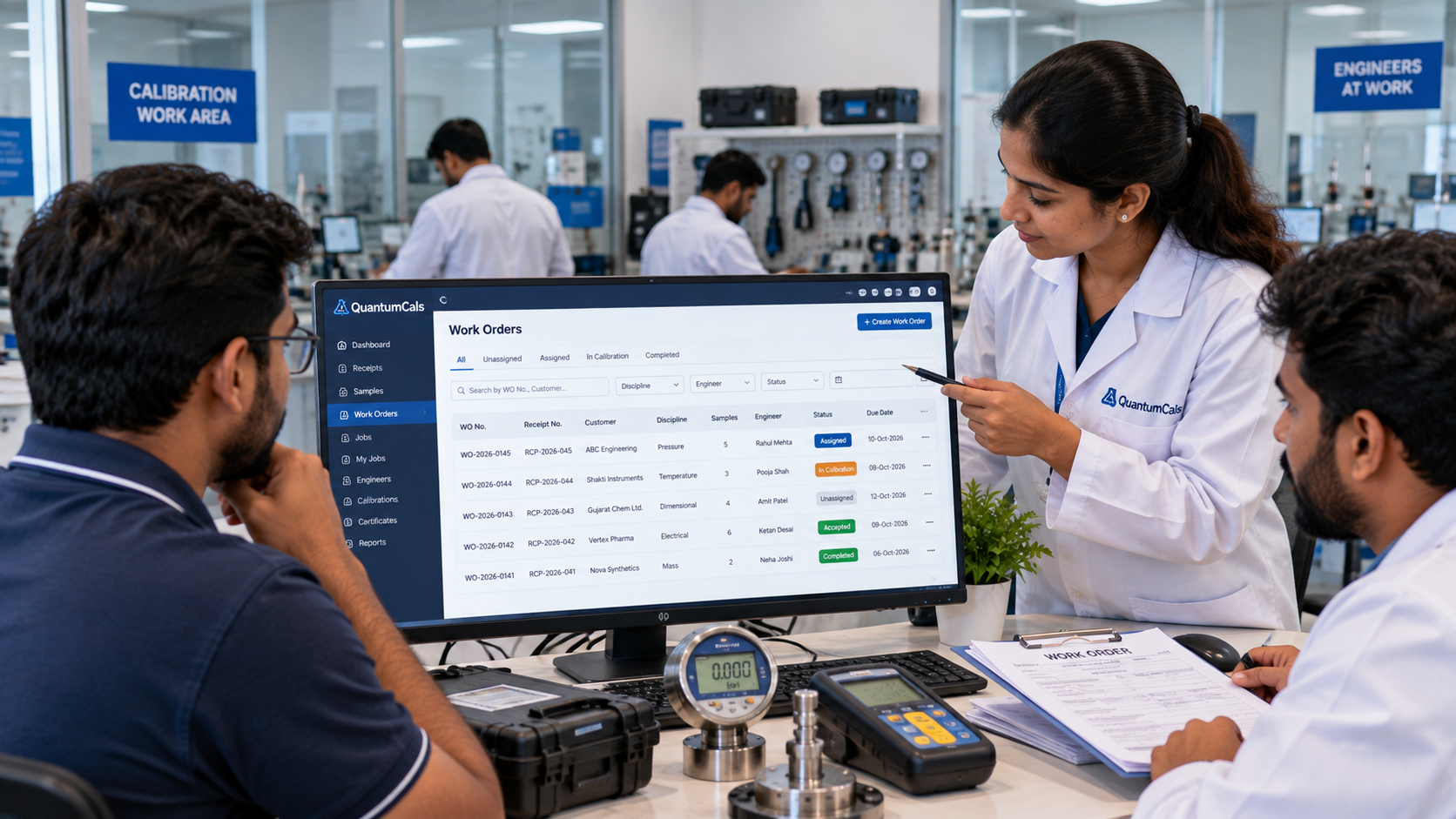
Once samples are accepted and assigned, the calibration lab has to answer two practical questions: which engineer does this work, and when will it be finished? In many labs the answer lives in a whiteboard, a WhatsApp group and a spreadsheet that nobody updates on time. The result is duplicated effort, missed deadlines and jobs that sit unnoticed.
A work order in a calibration LIMS turns a group of assigned samples into a unit of work that can be planned, allocated and tracked.
From Assigned Samples to a Work Order
In QuantumCals, the Assigned Samples tab of a receipt lists every sample linked to that receipt. From there the coordinator selects the samples and creates a work order. The work order carries the receipt reference, the customer and the job type, so anyone looking at it knows exactly which instruments it covers.
Creating Jobs by Discipline
Calibration work is usually organised by discipline, such as pressure, temperature, electrical or dimensional. When a job is created, the coordinator picks a discipline first, and the system then shows only the available samples that belong to it. This keeps each engineer working on instruments they are qualified for, and avoids mixing unrelated work in one job.
Engineer View: My Jobs
Each engineer opens My Jobs and sees only the jobs assigned to them. Every job shows its current status, such as Unassigned, Assigned, Accept or Under Calibration, and Completed. Engineers can add remarks, review the instrument details and move the job forward without asking the coordinator for updates.
Benefits for the Lab Manager
- Workload at a glance: see how many jobs each engineer holds and where bottlenecks are forming.
- Fewer missed samples: every sample in a receipt is either assigned or clearly still pending.
- Faster turnaround: engineers start work the moment a job appears in their list.
- Clear accountability: the job history shows who was assigned, who changed the status and when.
Setting This Up Well
Start with a simple rule: one work order per receipt per discipline, unless the customer has asked for a split delivery. Keep remarks short and factual, because they become part of the job record that an assessor may read years later.
Ready to see it in your lab? Book a free 30-minute demo with the QuantumCals team and walk through the workflow with your own receipts and instruments.