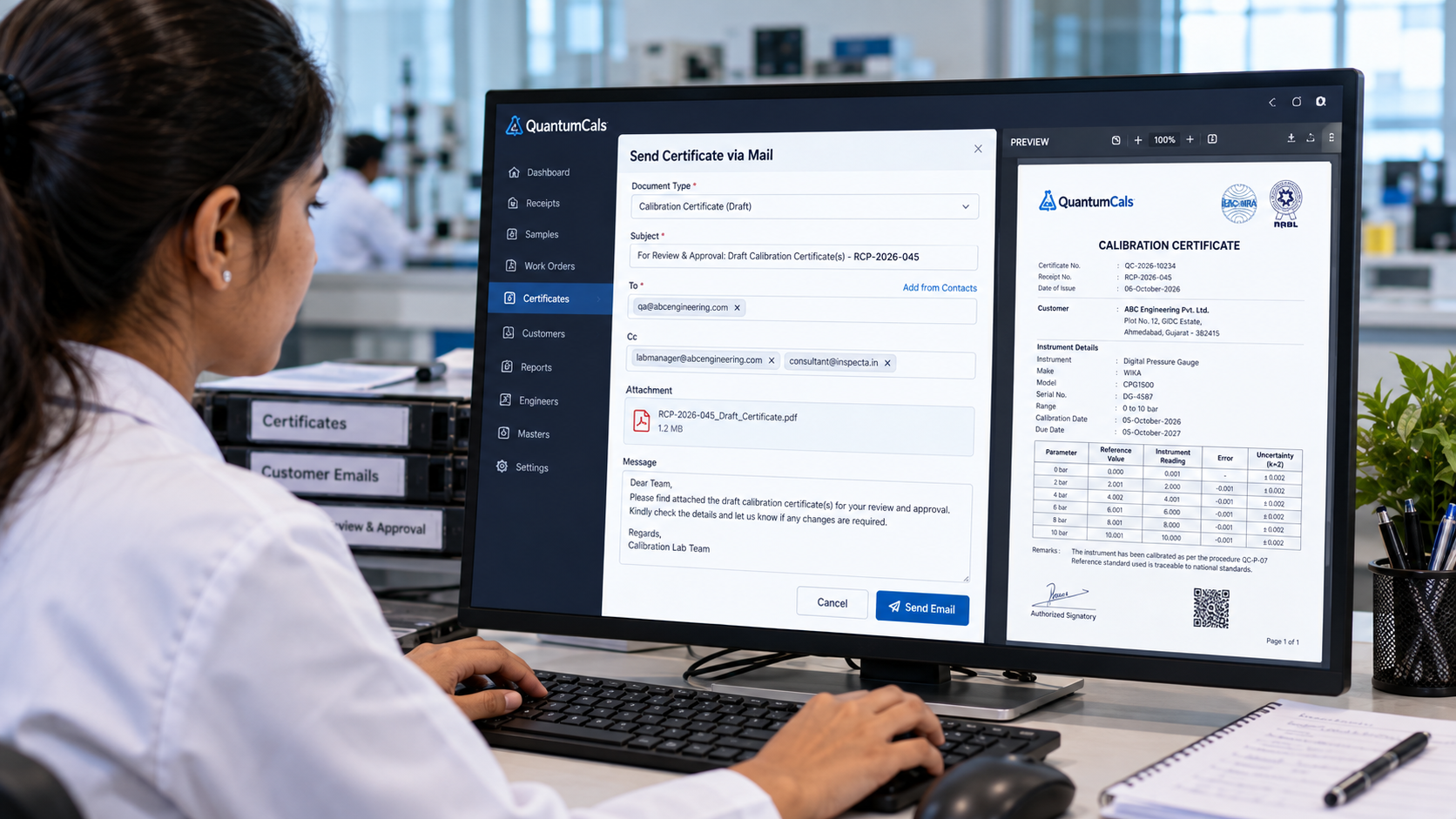
Sending a calibration certificate by email is one of the most common actions in a lab, and one of the easiest to get wrong. An attachment sent to the wrong address, a certificate released before review, or an email that cannot be traced back to the job are all audit findings waiting to happen.
A safer approach separates three things: the draft that goes for internal review, the approved certificate that goes to the customer, and the record that shows exactly what was sent, to whom and when.
Step 1: Send the Draft for Review
Before a certificate is released, a reviewer should check the measurement data, uncertainty and traceability statements. In QuantumCals the Send Certificate via Mail dialog lets the lab choose the document type, such as the draft calibration certificate or the work receipt form, and attach the PDF generated from the receipt data.
Step 2: Write a Subject That Says What It Is
The dialog pre-fills a clear default subject based on the document type, for example For Review & Approval: Draft Calibration Certificate(s) followed by the receipt number. If a particular customer or project needs different wording, the subject can be edited before sending, and the edited version is the one that goes out. Clear subjects make it easier for reviewers to find the right email weeks later.
Step 3: Get the Recipients Right
- TO: the reviewer or customer contact who will act on the document.
- CC: the customer main email, the consultant and any other stakeholder. Duplicate addresses are removed automatically.
- Quick pick: choose from the customer's saved email contacts instead of typing addresses from memory.
Step 4: Keep the Record
An assessor may ask which version of a certificate reached the customer. Logging each send against the receipt, with the recipients and the document type, answers that question directly. Combined with the audit trail on the receipt itself, the lab can show the full path from draft to delivery.
Common Mistakes to Avoid
- Sending a draft to the customer as if it were final.
- Leaving the default subject when the email covers several certificates.
- Using personal email accounts that cannot be audited.
Ready to see it in your lab? Book a free 30-minute demo with the QuantumCals team and walk through the workflow with your own receipts and instruments.