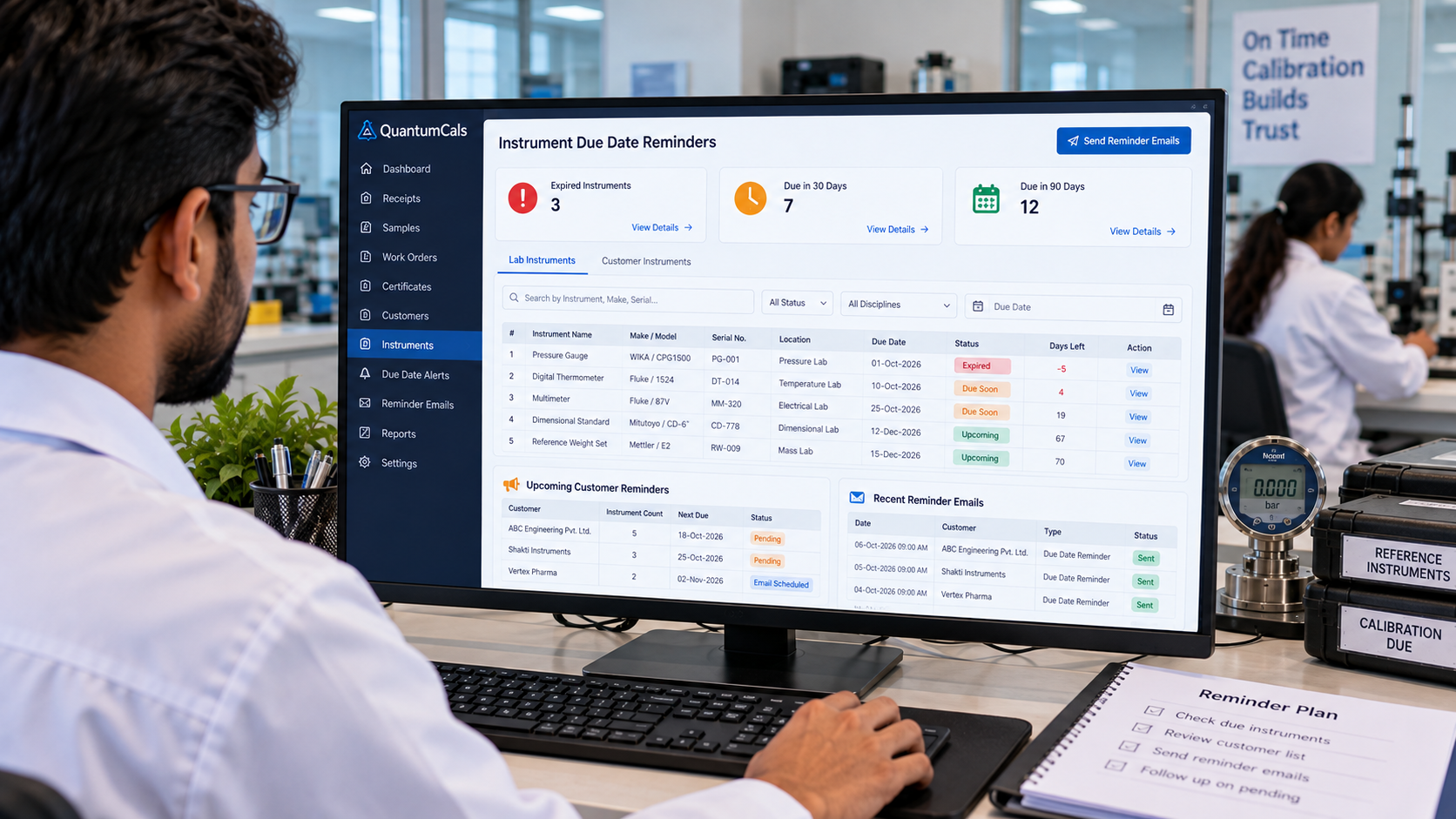
Calibration is a recurring business. A customer who had their pressure gauges calibrated last year will need them again, and a lab that remembers to remind them keeps the work coming in. A lab that does not remember loses the job to whoever calls first. The same applies inside the lab: a reference instrument that is overdue for its own calibration puts every certificate issued with it in doubt.
Automated due-date reminders handle both sides of that problem without anyone needing to keep a calendar.
Two Kinds of Due Dates
- Your reference instruments: the masters and working standards in your lab, each with its own calibration validity. The system flags instruments that are expired and those that are coming up for renewal.
- Your customers' instruments: the equipment you calibrated for a customer, with the next due date recorded from the last certificate.
Instrument Alerts Inside the Lab
When an employee logs in, QuantumCals shows the instrument alerts that need attention, split into expired and upcoming. This keeps the quality manager informed and prevents an expired standard from being used in a live job.
Customer Reminder Emails
The system can produce a reminder report listing customer instruments that are due, and send reminder emails on a schedule. The emails are sent automatically by a scheduled job, so the lab does not depend on someone remembering to run a report each month.
Why Reminders Improve Both Revenue and Compliance
Customers appreciate being reminded before their equipment falls out of calibration, and it builds trust in the lab. For compliance, a reminder history shows that the lab followed a consistent process for scheduling and communicating due dates.
Getting the Setup Right
- Enter the validity date from each certificate, not the date you received it.
- Keep customer email addresses up to date so reminders reach the right person.
- Review the due-date report once a week, even with automation, to catch gaps.
Ready to see it in your lab? Book a free 30-minute demo with the QuantumCals team and walk through the workflow with your own receipts and instruments.