Choosing calibration software for your lab is one of the most important infrastructure decisions you will make this year. The right platform eliminates paperwork, generates compliant certificates automatically, and keeps your team organized. The wrong one costs you time, money, and audit points.
This guide breaks down exactly what to look for when evaluating calibration management software in 2026 — and the key questions every lab manager should ask before signing up.
What Does Calibration Software Actually Do?
Calibration software — also called calibration lab software or calibration management software — is a digital platform that manages the full calibration workflow: from job creation and engineer assignment, to measurement recording, certificate generation, and customer delivery.
In 2026, the best calibration software platforms are cloud-based — meaning no local server, no IT department needed, and access from any device with a browser. Labs operating under ISO 17025, NABL, FDAS, IQAS, or ACCAB use calibration software to manage their accreditation compliance alongside daily operations.
5 Features That Separate Good Calibration Software from Great
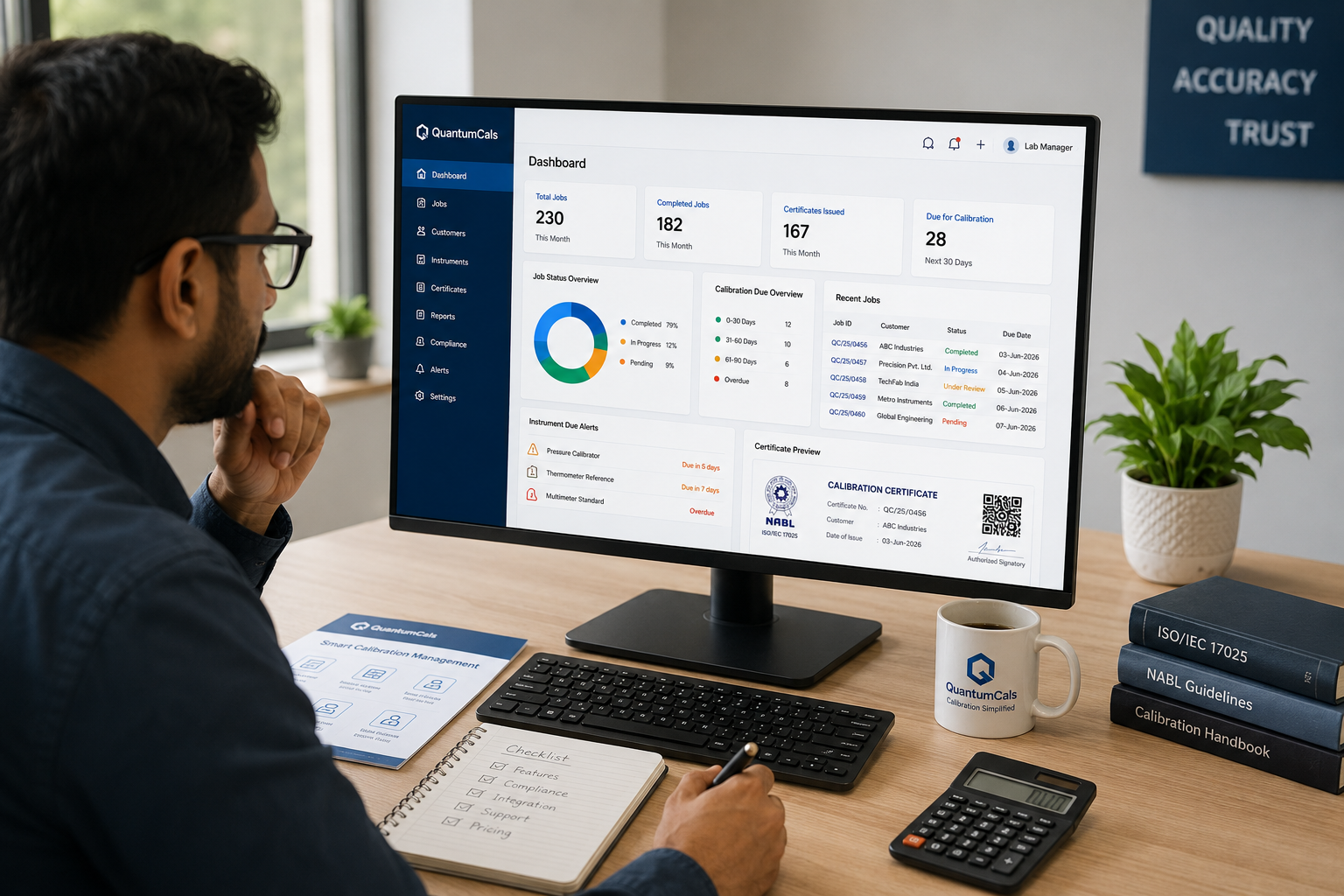
1 | Automated Certificate Generation: The single biggest time-saver in any calibration lab. Your calibration software should generate accreditation-compliant calibration certificates automatically from job data — not require manual template filling. Look for QR-verifiable, digitally signed PDF output. |
2 | Multi-Accreditation Support: Indian calibration labs often need to serve customers under multiple bodies — ISO 17025, NABL, FDAS, IQAS. Your calibration management software should handle all of them from one interface, not require separate systems per accreditation body. |
3 | Equipment Lifecycle Management: Every instrument in your lab has a calibration due date. Your calibration lab software must track this automatically and send alerts before expiry — so you never operate with an out-of-date master standard. |
4 | Customer Self-Service Portal: Top calibration software platforms give your customers a branded portal where they can download certificates, track job status, and view their instrument history — without calling your team. |
5 | Full Audit Trail: For any ISO 17025 or NABL lab, this is non-negotiable. Your calibration software must log every action — who entered data, who approved a certificate, and when — with an immutable record that stands up to audit scrutiny. |
Cloud Calibration Software vs On-Premise: Which is Better in 2026?
In 2026, cloud calibration software wins for most labs:
- No server cost: Cloud platforms run on secure infrastructure — you pay a subscription, not a capital purchase plus IT maintenance bill.
- Anywhere access: Lab managers can check job status from their phone. Engineers can update job sheets from the lab floor. Customers can download certificates from their office.
- Automatic backups: On-premise systems depend on manual backup routines. Cloud calibration software backs up your data automatically — so you never lose a certificate.
- Faster updates: New features, compliance updates, and security patches roll out automatically. No waiting for an annual software upgrade cycle.
Common Mistakes When Choosing Calibration Software
The most frequent mistake labs make is choosing generic ERP or job management software and trying to adapt it for calibration workflows. Generic software does not understand uncertainty of measurement, accreditation-body-specific certificate formats, or NABL's documentation requirements.
Always choose purpose-built calibration software — built specifically for calibration and testing labs, not adapted from general business software.
QuantumCals: Calibration Software Built for Indian Labs
QuantumCals is cloud-based calibration software built specifically for Indian calibration and testing laboratories. It covers the complete calibration workflow — from job sheet creation to certificate delivery — with native support for ISO 17025, NABL, FDAS, IQAS, and ACCAB in a single platform.
Most labs are fully operational within 12 minutes of signing up. No installation. No consultants. Just calibration management software that works the way your lab actually works.
Ready to see it in action? Book a free demo and we will walk you through everything — start to finish — in 30 minutes.